BEAR - WooCommerce Bulk Editor and Products Manager Professional
How to set the same value for some products on the same time
Binded editing feature will help. It is the switch on the tools panel of the Products Editor: while it is on, whatever you type into a field of one ticked product is written to the same field of every other ticked product.
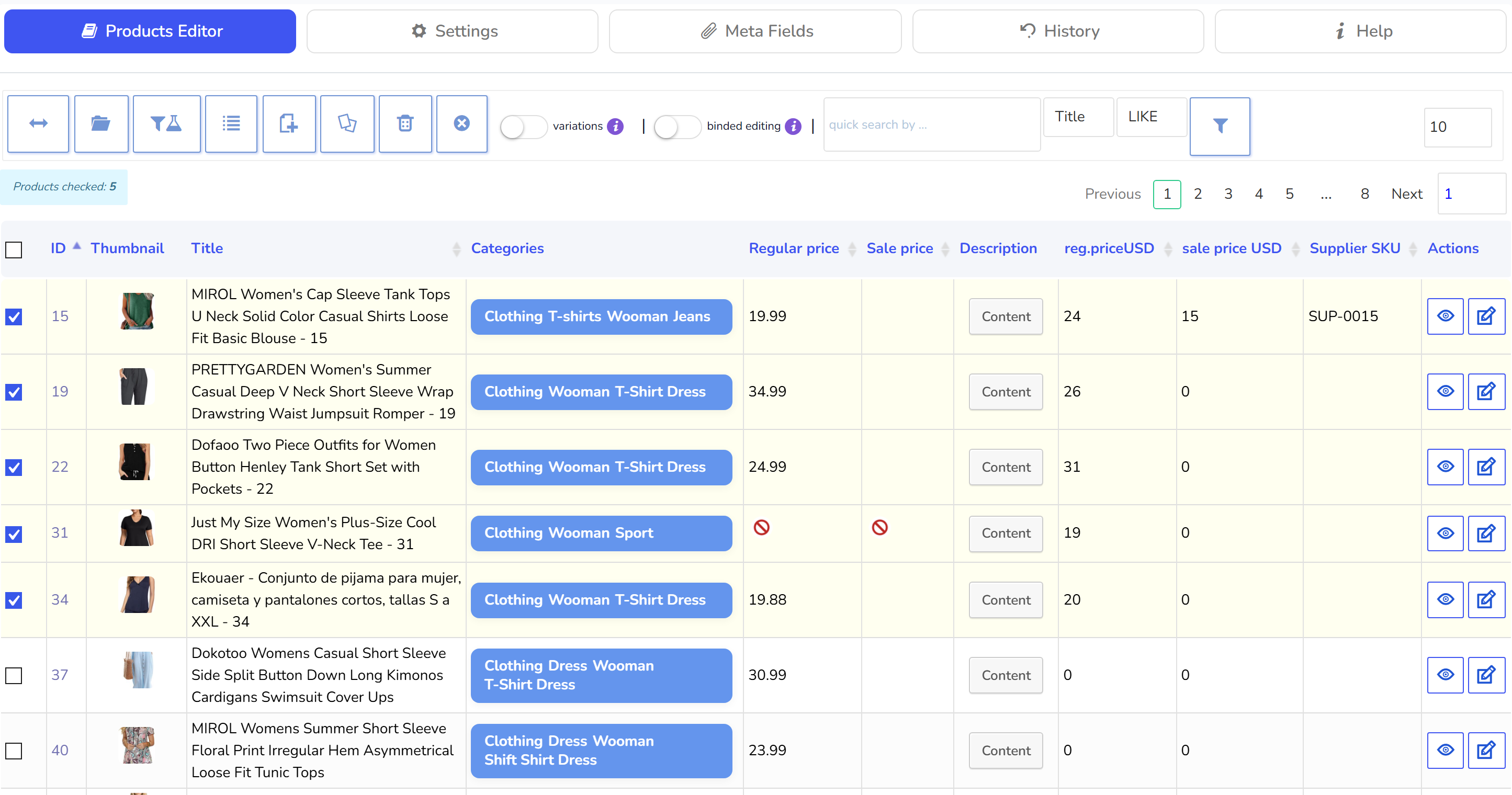
Select first product you need using checkbox in the most left column
Press SHIFT button on your keyboard and without releasing it click on the last (last by your logic) product checkbox; every product between them is ticked too
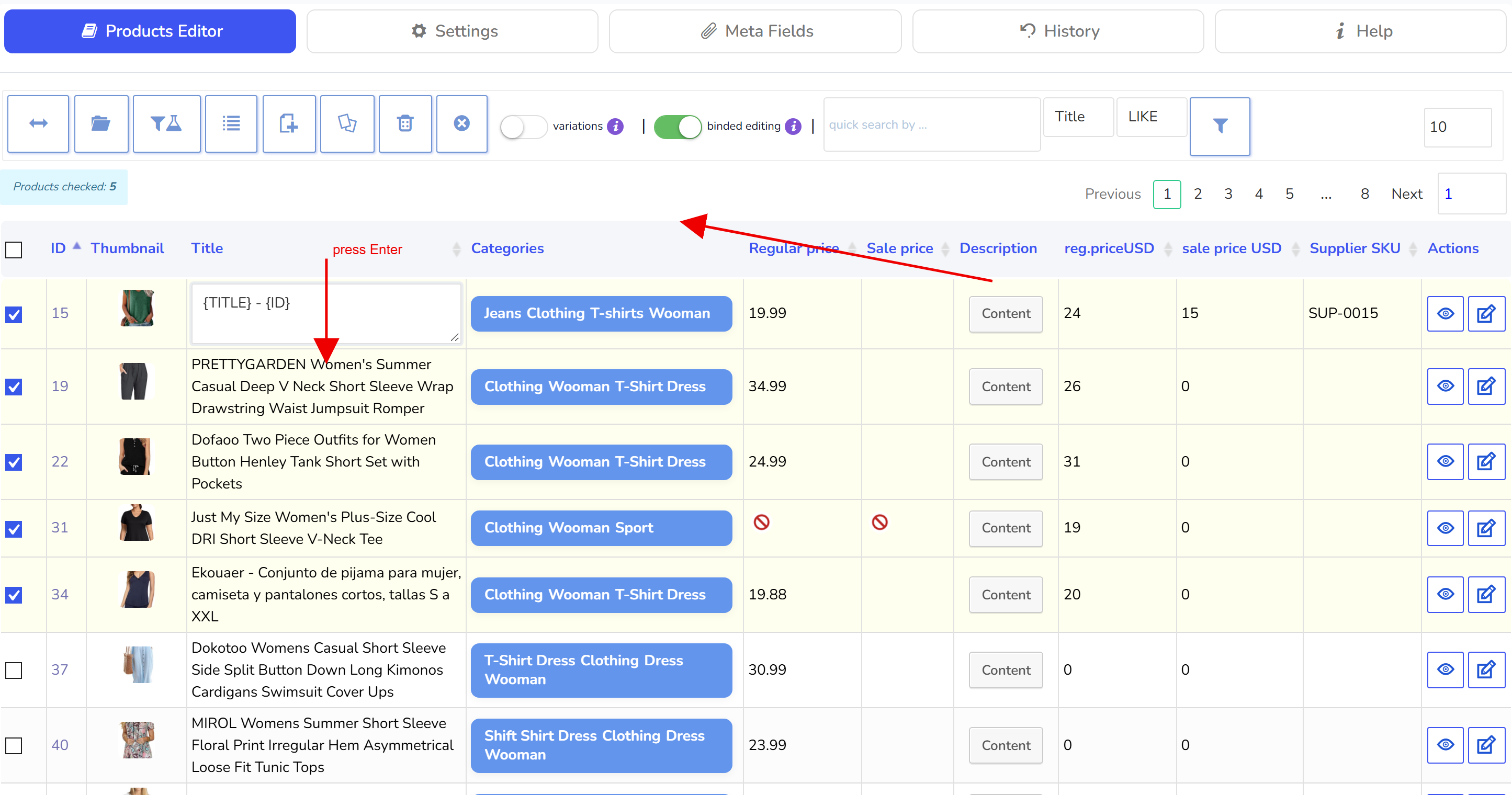
On the tools panel enable 'binded editing'
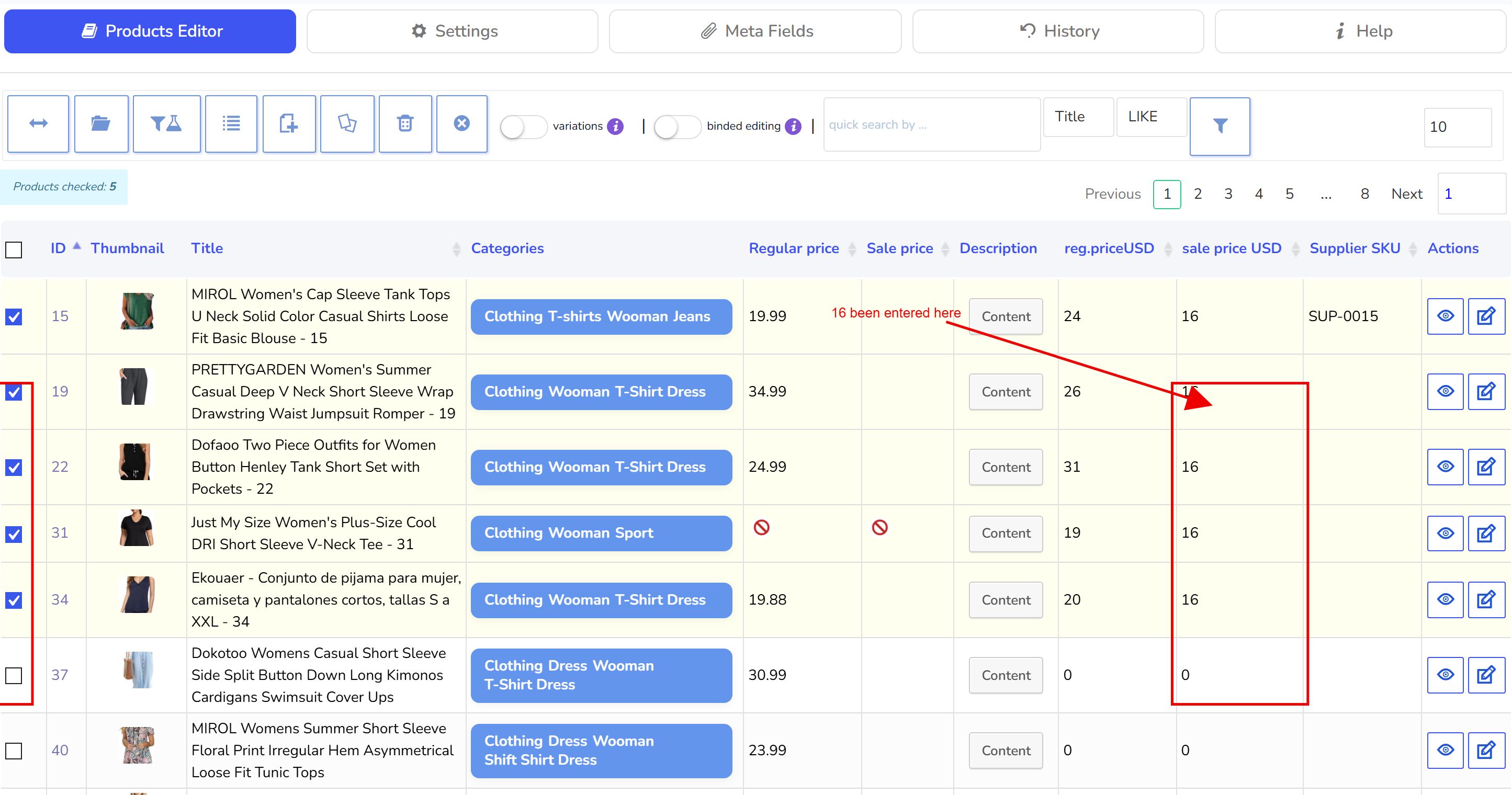
Enter any value to any field of any selected product you need: a price, a stock quantity, a category, a status
Wait until operation is finished
Ticking works on the current page only; moving to another page resets the selection. For a set larger than one page, filter it in the Filters tab and use the Bulk Edit tab instead, which targets all filtered products. With the variations switch on, binded editing writes to the ticked variations and ignores parents.
Hint: binded editing is recorded as a bulk operation, so if you entered the wrong value it can be rolled back in tab History with one click.
🌸
Documentation for BEAR - WooCommerce Bulk Editor and Products Manager Professional: tabs, tools and developer guides
Documentation — BEAR Bulk Editor
We use cookies to ensure that we give you the best experience on our website. If you continue to use this site we will assume that you are happy with it.