BEAR - WooCommerce Bulk Editor and Products Manager Professional
Way to edit the GTIN, UPC, EAN or ISBN fields
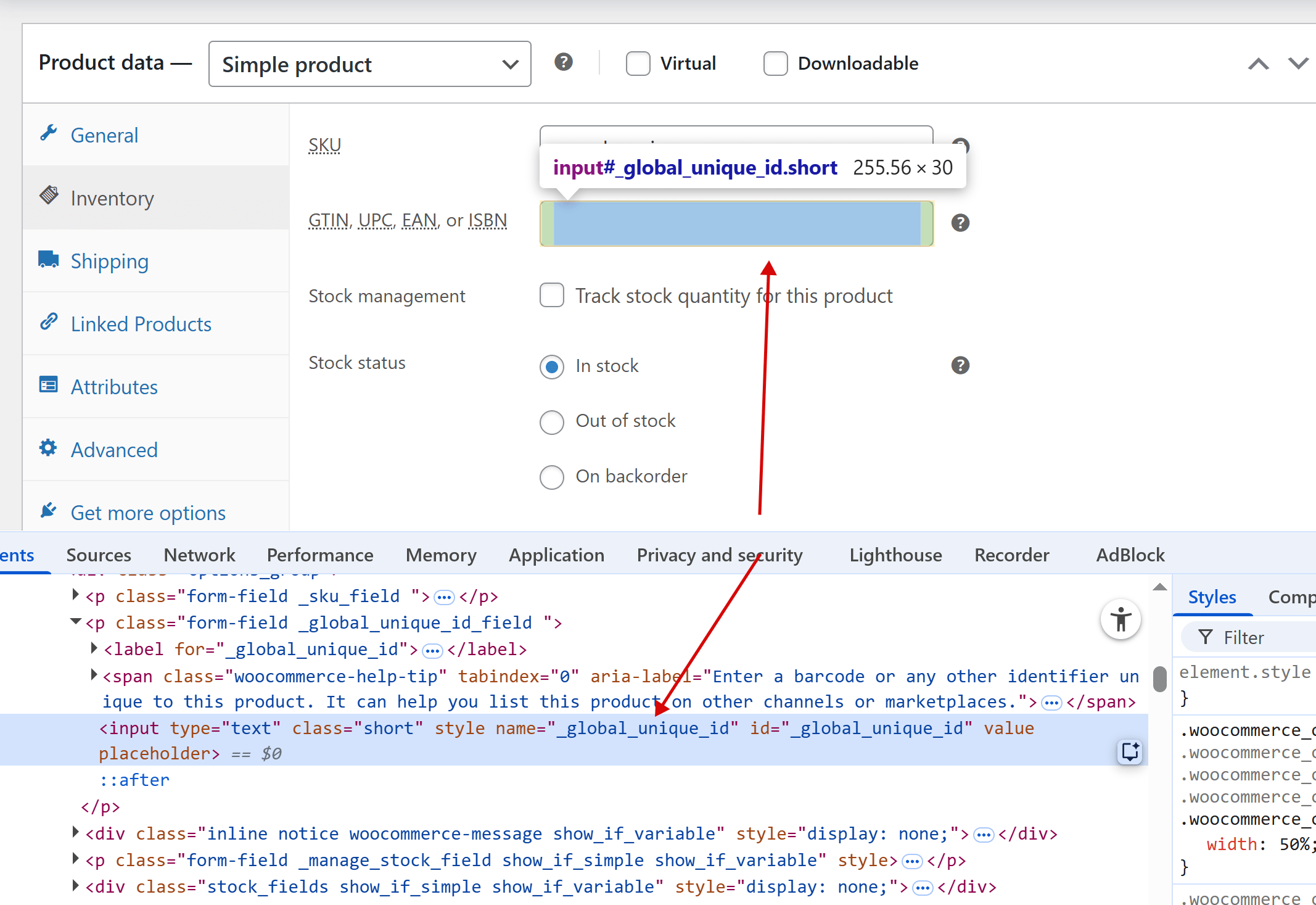
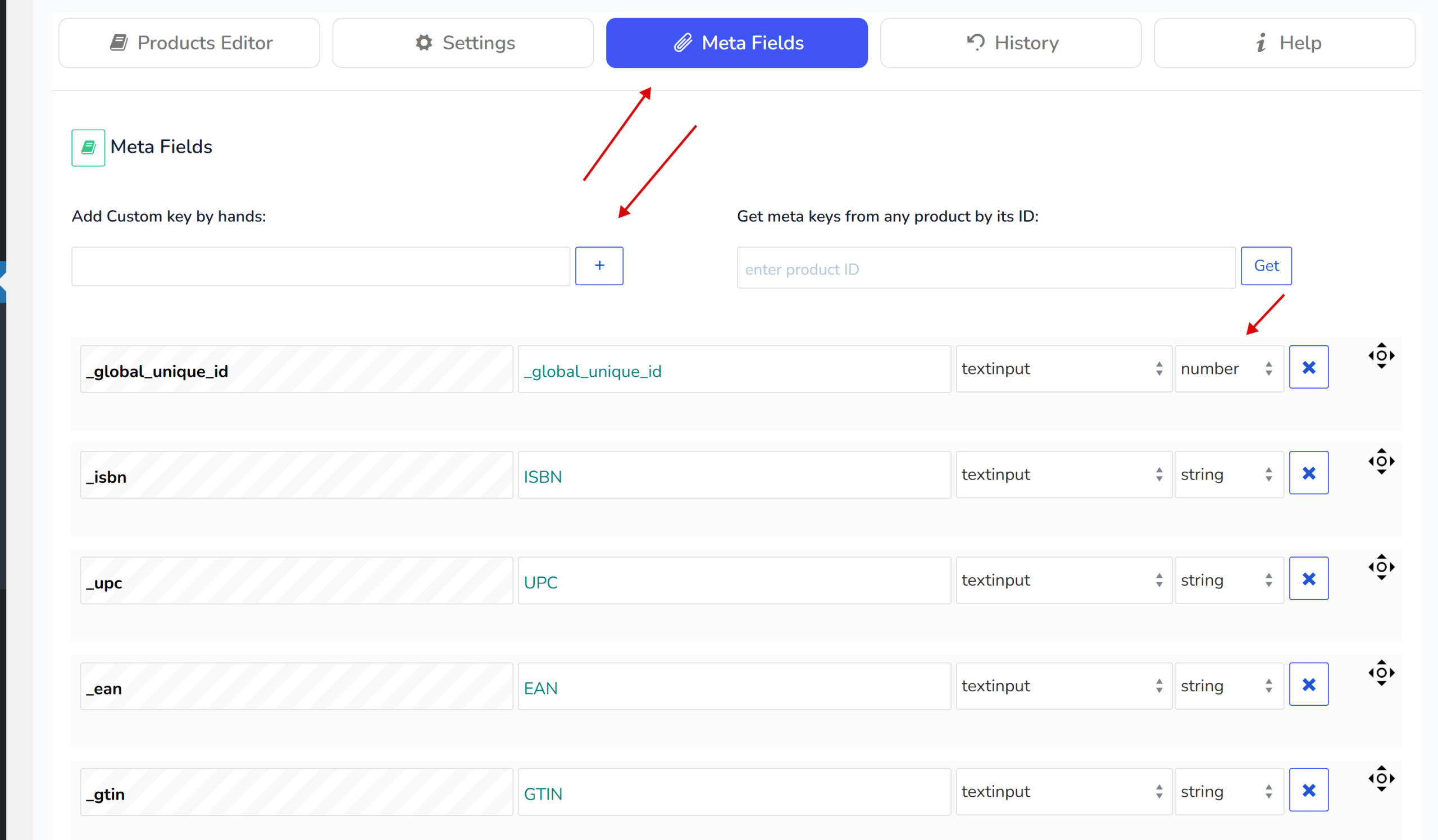
GTIN, UPC, EAN, or ISBN fields in most cases are stored as meta fields with the following keys: _gtin, _ean, _upc, _isbn, _global_unique_id in woocommerce plugin (type string). So no matter what plugin you use to keep this data, just define in what meta key its keeps and use it.
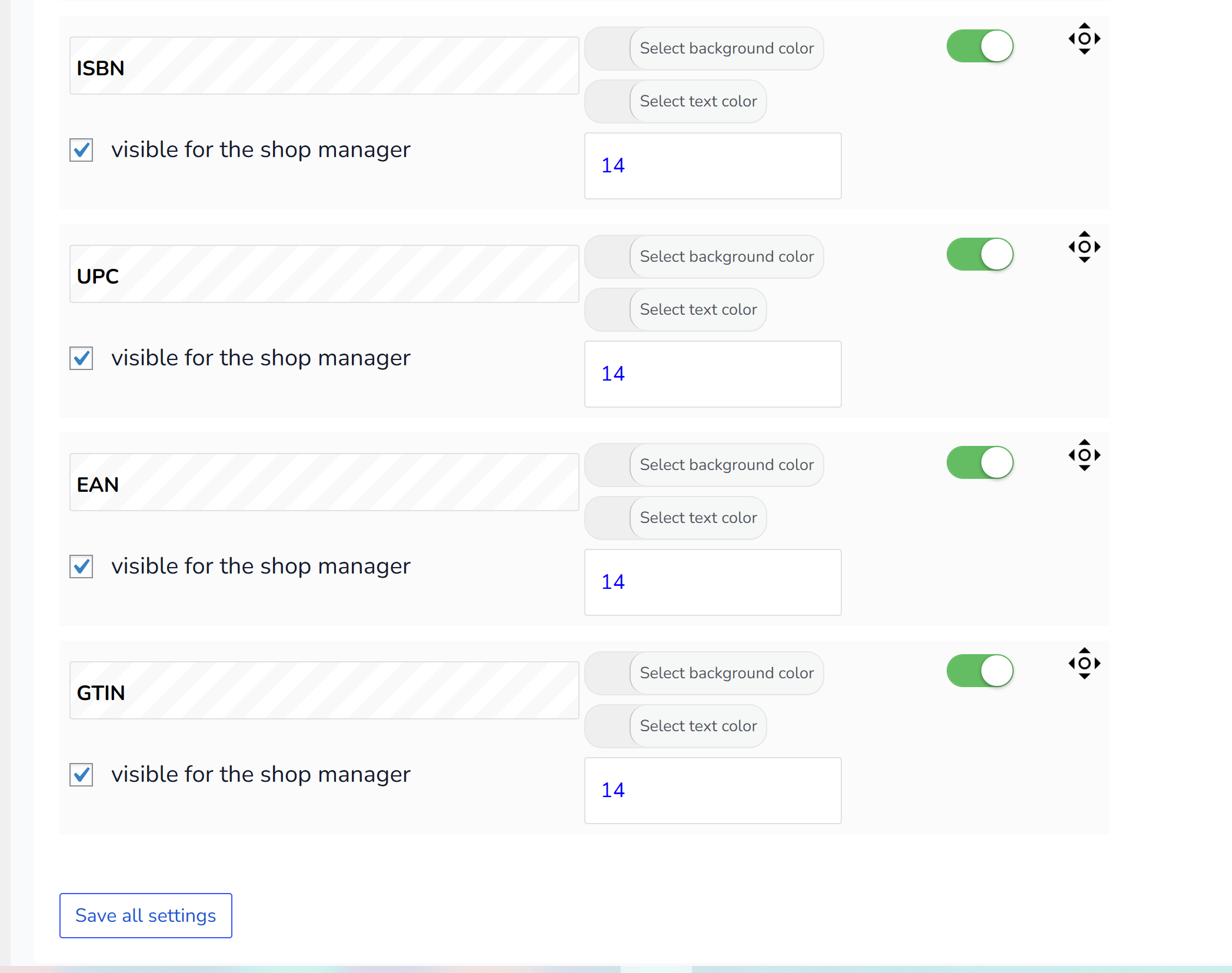
First, add these fields by hand in the Meta Fields tab and click the Save button. Then, after the page reloads, go to the Settings tab, enable them one by one, and click Save again.
That’s it! 😊
🌸
Documentation for BEAR - WooCommerce Bulk Editor and Products Manager Professional: tabs, tools and developer guides
Documentation — BEAR Bulk Editor
We use cookies to ensure that we give you the best experience on our website. If you continue to use this site we will assume that you are happy with it.