BEAR - WooCommerce Bulk Editor and Products Manager Professional
How to raise regular prices by 15% with a WooCommerce bulk price change
Yes! A WooCommerce bulk price change can raise or lower regular prices relative to their current value.
Select products using checkboxes or filter them by any parameters you need
Open Bulk Editor form
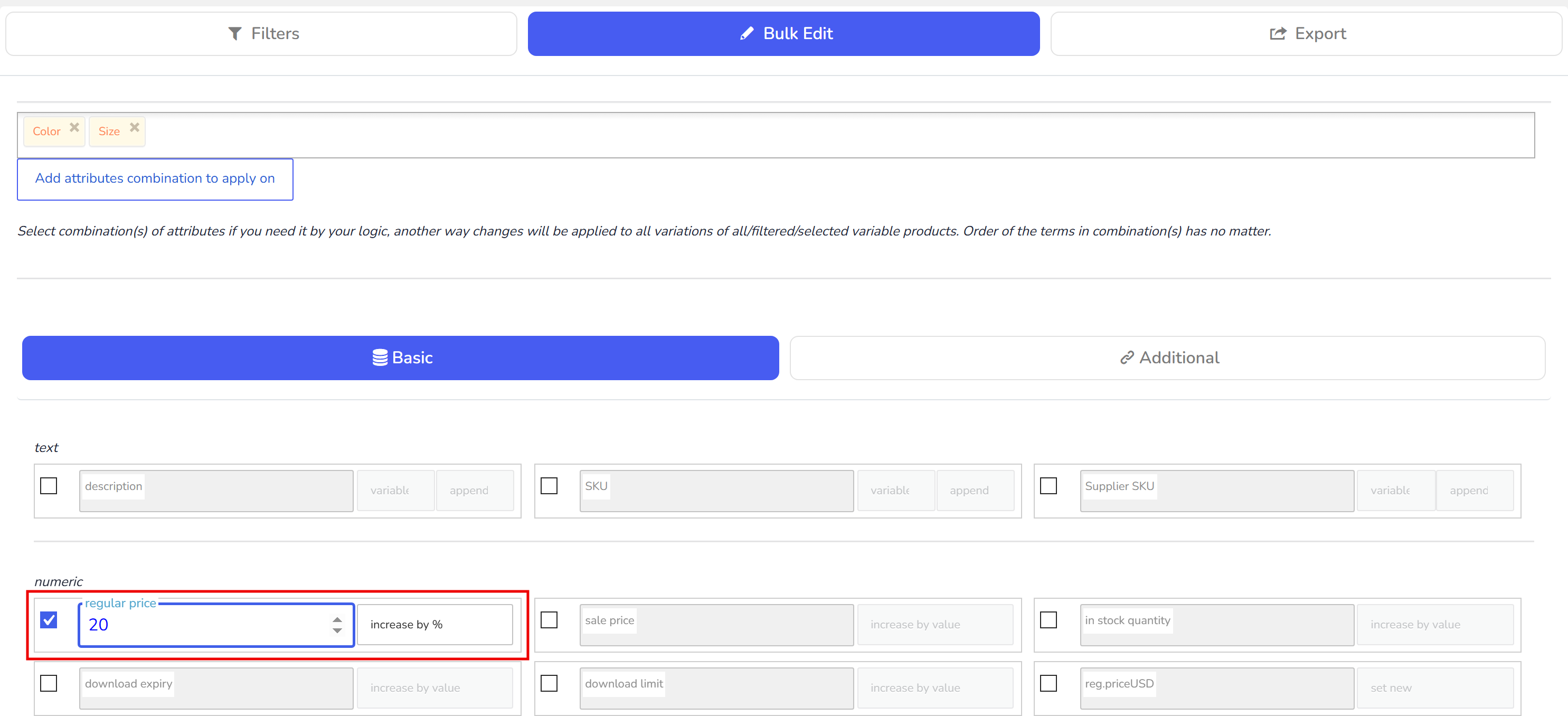
Find field 'regular price' and check it by checkbox near
Enter 15 in the textinput and in the drop-down near it select 'increase by %'
Click on 'Do Bulk Edit' and wait while the operation finish
🌸
Documentation for BEAR - WooCommerce Bulk Editor and Products Manager Professional: tabs, tools and developer guides
Documentation — BEAR Bulk Editor
We use cookies to ensure that we give you the best experience on our website. If you continue to use this site we will assume that you are happy with it.