BEAR - WooCommerce Bulk Editor and Products Manager Professional
How to remove all variations at once with WooCommerce bulk delete?
If you need a bulk delete of variations — removing all variations from all variable products of your shop:
In the Filter select product type 'variable' and filter by it
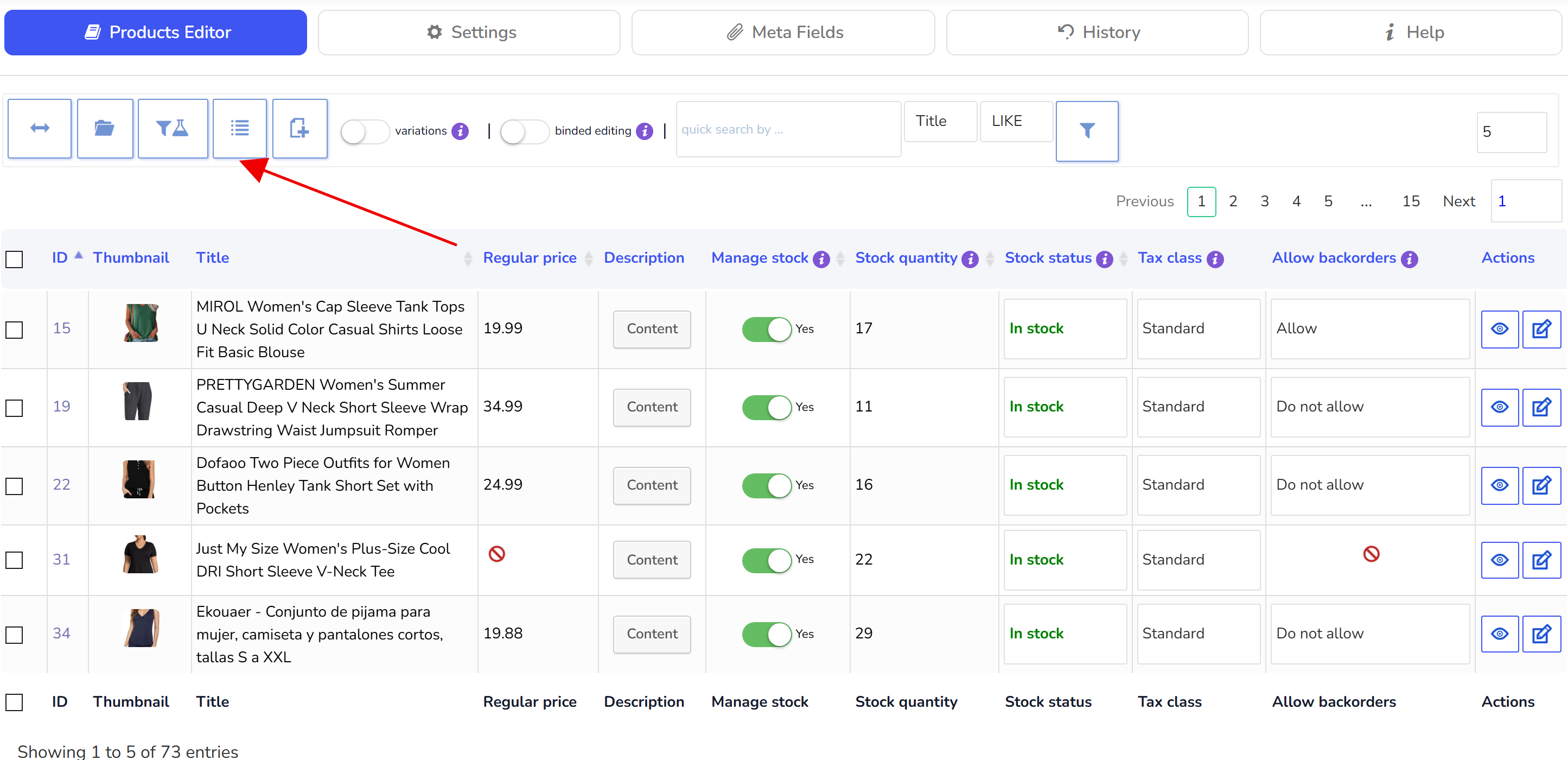
After filtering on the tools panel click on button 'Variations Advanced Bulk Operations'
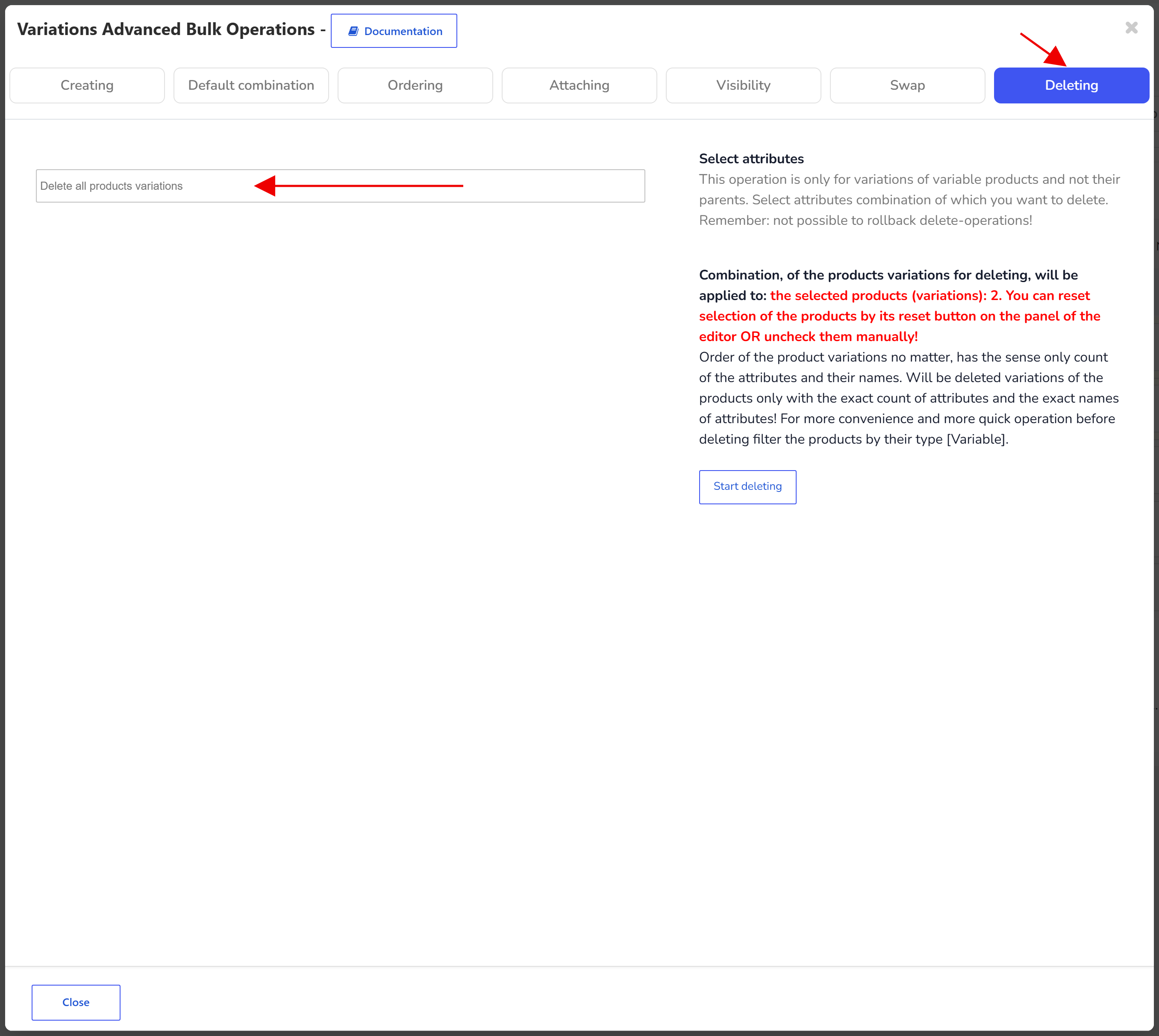
There go to tab Deleting and select 'Delete all products variations'
Click on 'Start deleting' button and wait until deleting finished
If you need to delete the product variations from the products of any product category - in the tab Filter also select category (or their combination) you need!
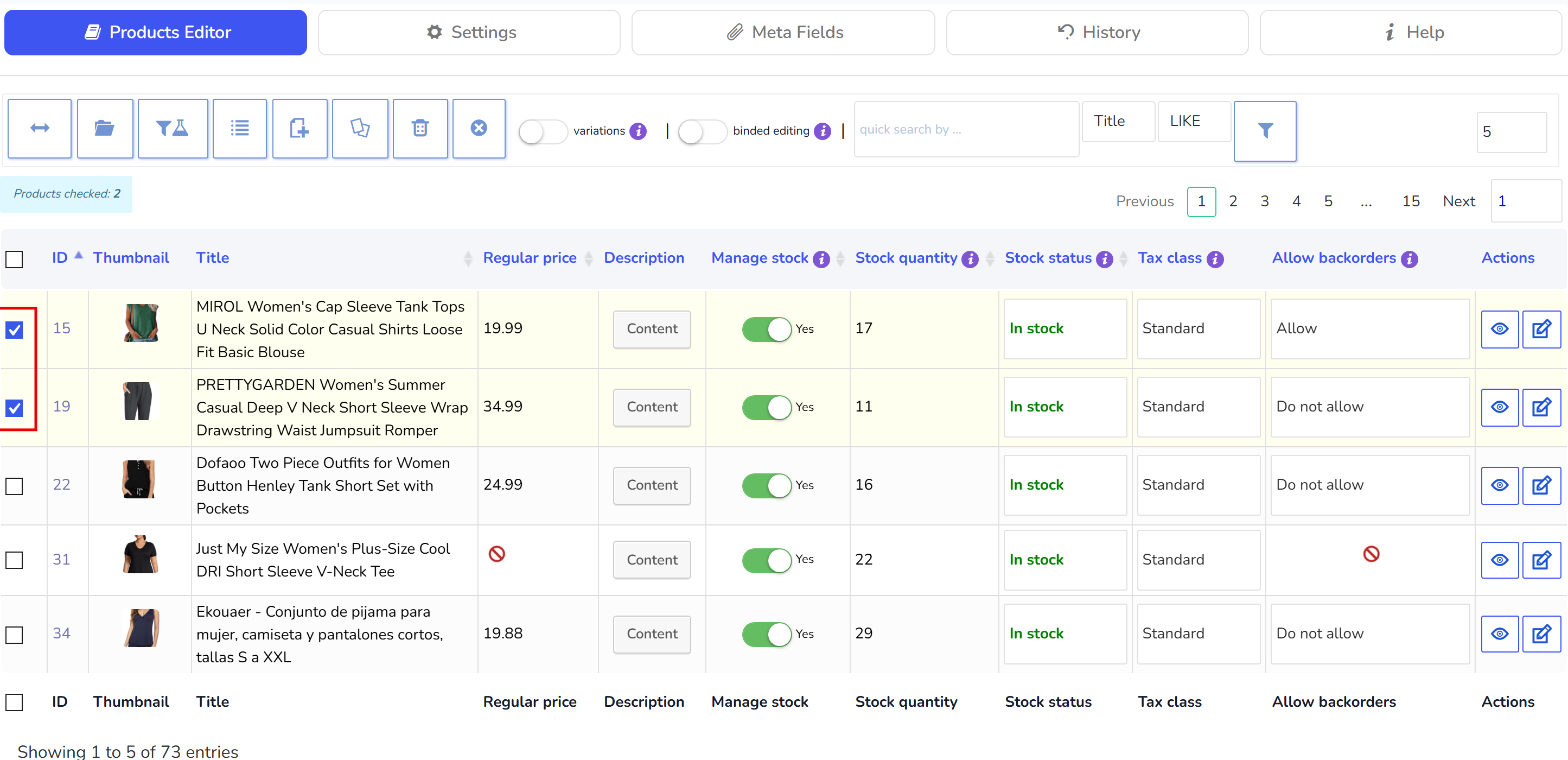
Also if there is only some products which you can see on one page - do not use Filtering - select variables-products using checkbox and do the same another described above.
🌸
Documentation for BEAR - WooCommerce Bulk Editor and Products Manager Professional: tabs, tools and developer guides
Documentation — BEAR Bulk Editor
We use cookies to ensure that we give you the best experience on our website. If you continue to use this site we will assume that you are happy with it.