BEAR - WooCommerce Bulk Editor and Products Manager Professional
How to remove selected downloads?
If you want to delete file from the products downloads use that file link with the next algorithm:
Select by checkboxes or/and make filtering of products from which you want to delete that download link(s)
Go to Bulk Edit tab -> tab Additional -> select 'Downloads' and open its popup there
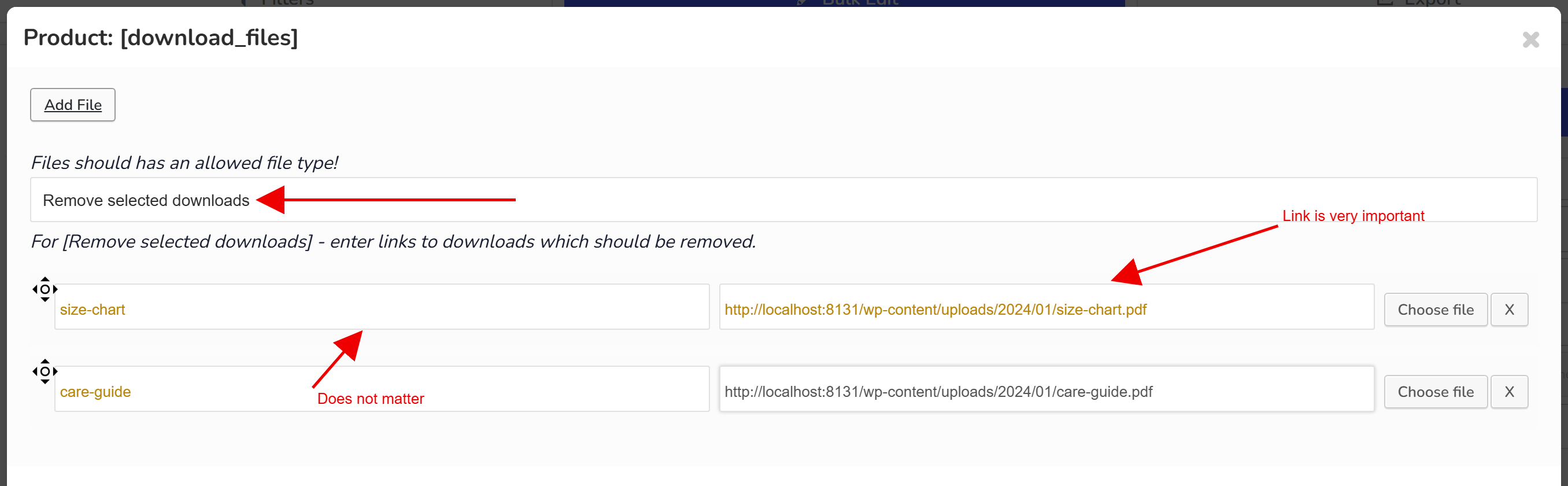
Select in the drop-down there option 'Remove selected downloads'
Press button 'Add File' and set files you want to delete
Press 'Apply' button on popup
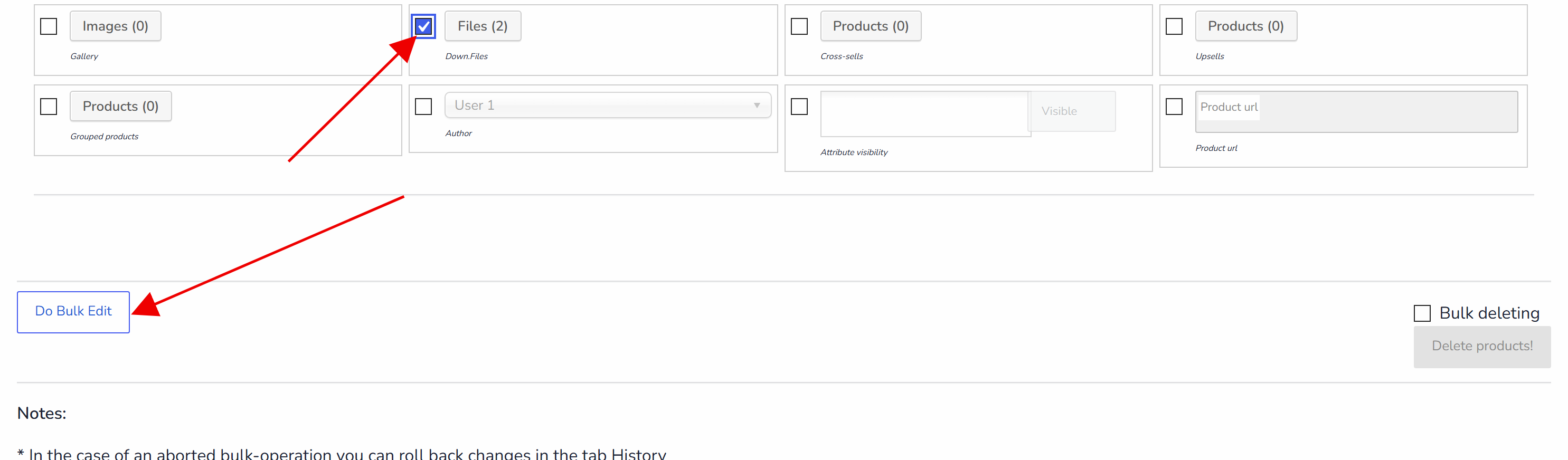
Click on 'Do Bulk Edit' button and wait until operation finished
🌸
Documentation for BEAR - WooCommerce Bulk Editor and Products Manager Professional: tabs, tools and developer guides
Documentation — BEAR Bulk Editor
We use cookies to ensure that we give you the best experience on our website. If you continue to use this site we will assume that you are happy with it.