BEAR - WooCommerce Bulk Editor and Products Manager Professional
How to bulk edit WooCommerce sale prices to 20% below regular?
There are 2 ways to bulk edit WooCommerce sale prices: binded editing or Bulk Editing.
First way:
This way is good when you can do it for some products or variations on the same one page in the Products Editor
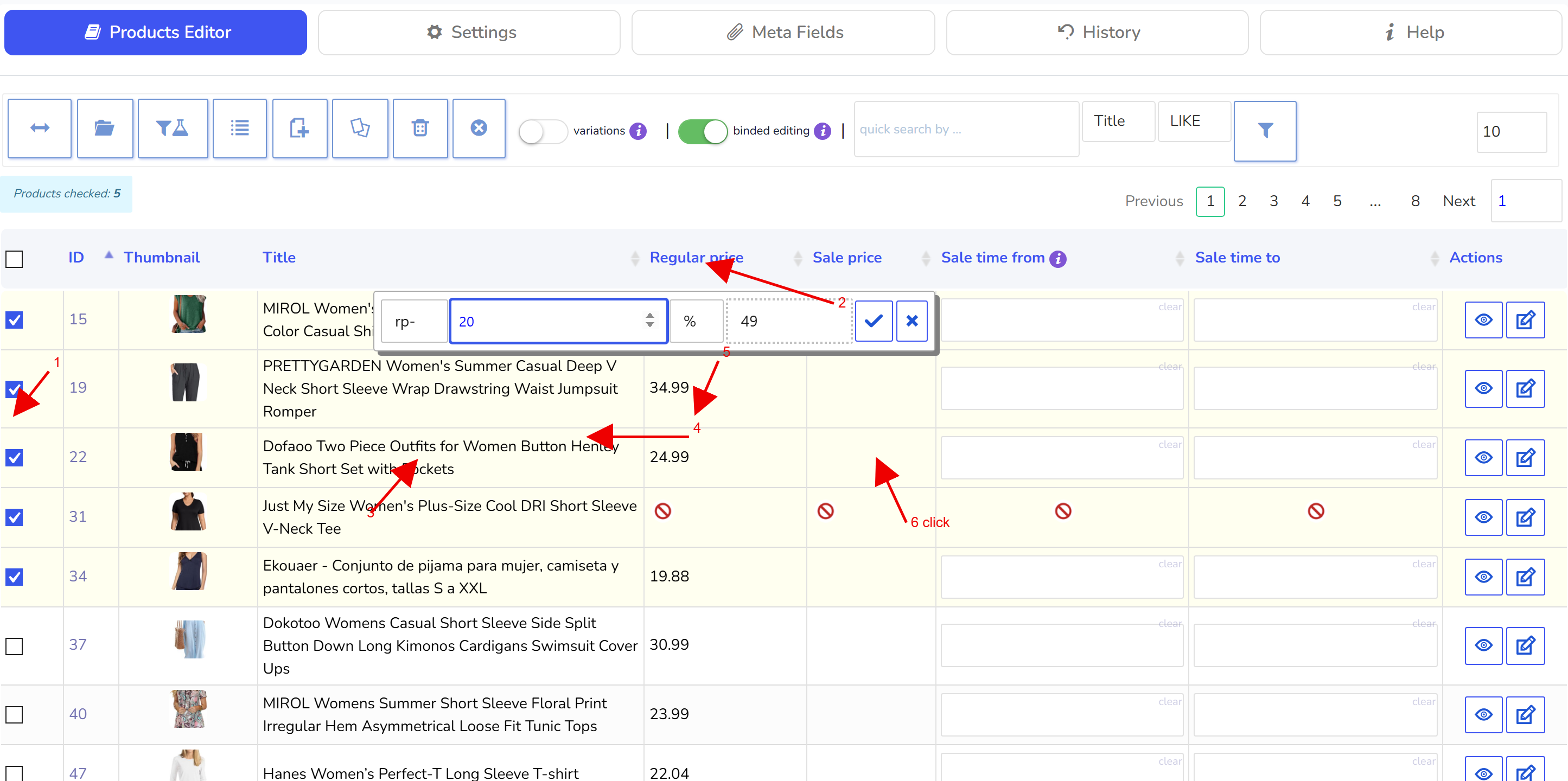
Select some products
Enable 'binded editing' switcher
Hover on any selected product sell price cell and click on calculator icon
In calculator select: rp- and in the text field there enter 20, and in the last drop-down select percents
Select prices rounding if you need it
Click on blue accept button on the calculator and wait until this bulk operation is finished
If you did smth wrong you can roll back this operation in the tab History
Second way:
In this way you can apply changes to all products on the site or to the filtered ones by your logic
So make products filtering by category or categories, or/and any other parameters if you need it
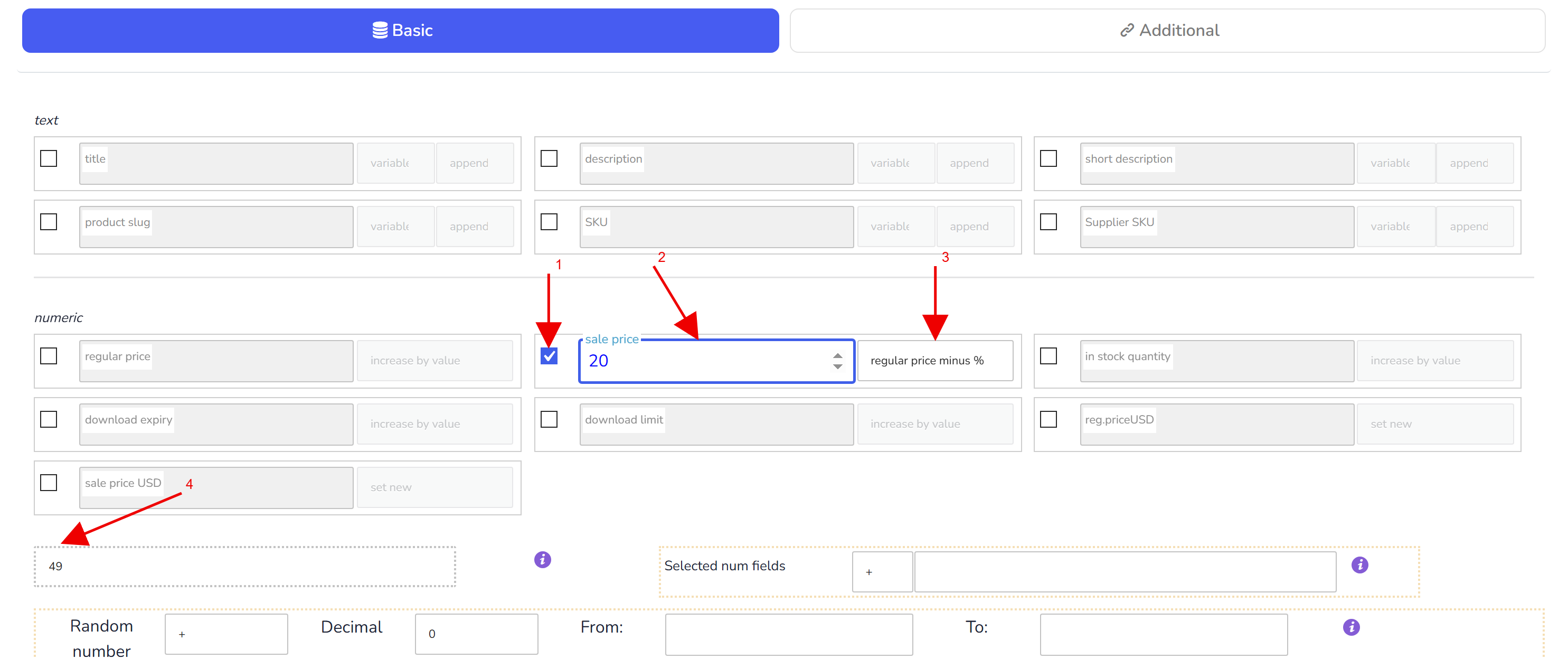
Go to tab Bulk Edit and select field 'Sale price' there
Enter 20 in the textinput
In the drop-down select 'regular price minus %'
Click on 'Do Bulk Edit' button and wait until operation is finished
🌸
Documentation for BEAR - WooCommerce Bulk Editor and Products Manager Professional: tabs, tools and developer guides
Documentation — BEAR Bulk Editor
We use cookies to ensure that we give you the best experience on our website. If you continue to use this site we will assume that you are happy with it.