Rounding WooCommerce product prices in bulk
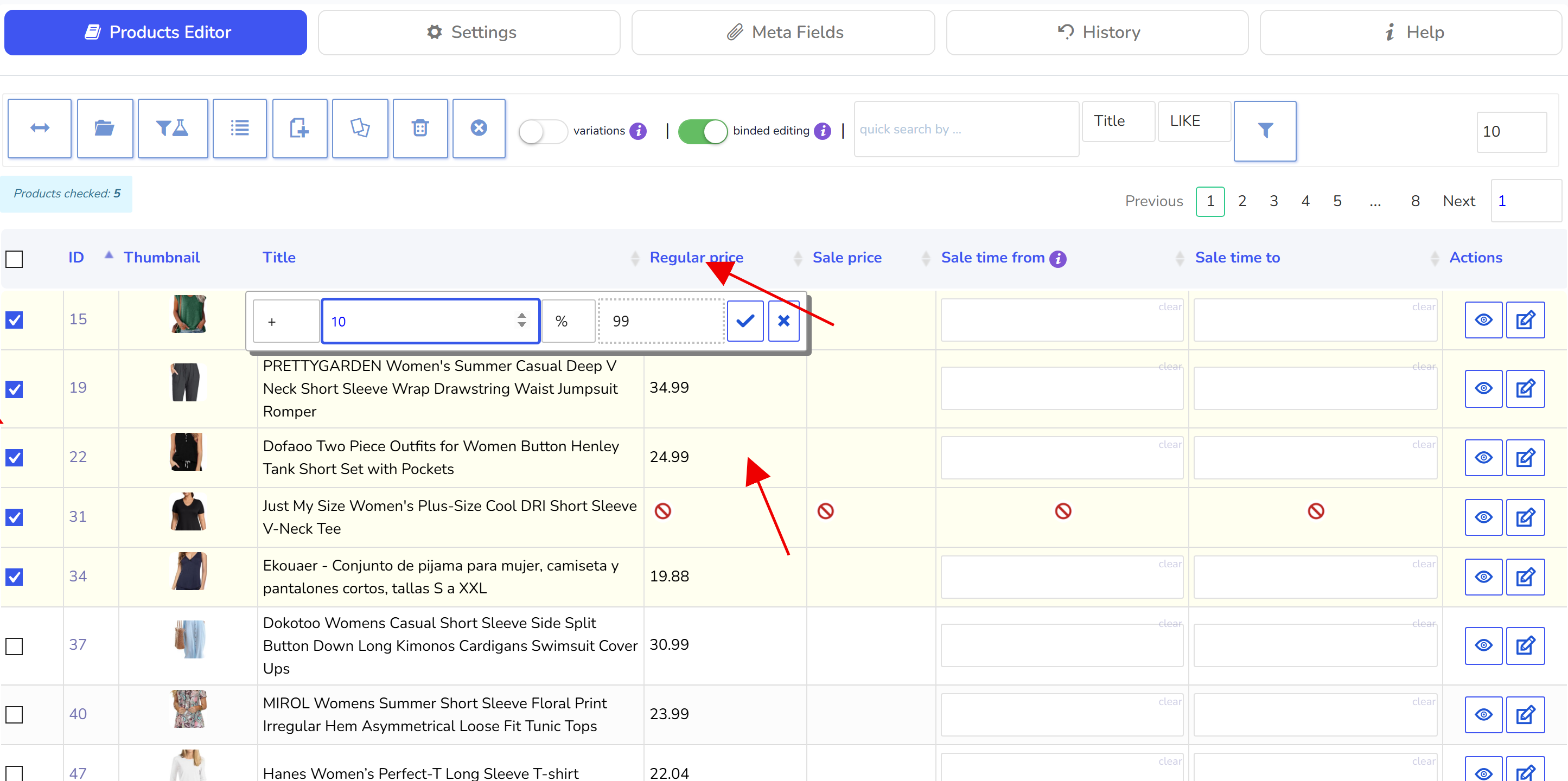
- select products you need using checkboxes
- enable 'binded editing'
- click on calculator on the cell you need, for example let it be regular price cell (hover mouse pointer on the cell to see calculator icon)
- enter natural value or percentage and select 'rounding' there
- press accept button and wait until data set finished
- filter products by any category using functionality of tab Filters (or skip this step)
- go to Bulk Edit tab
- in 'numeric' section enable 'regular price' field and set value there
- and then select cents rounding as on the screen below
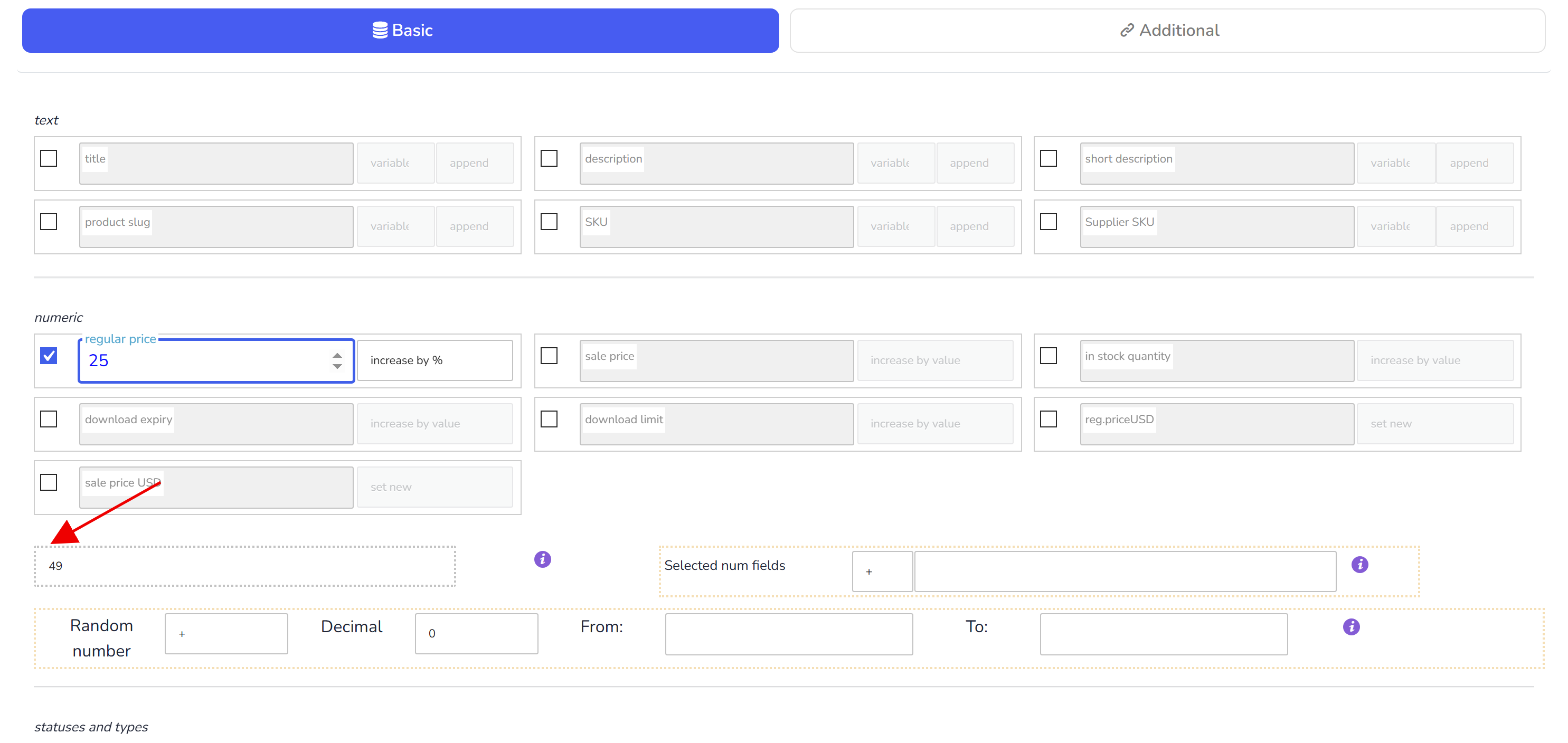
- click on 'Do Bulk Edit' button and wait until operation is finished
Also it is possible to round numeric values for meta fields which type is number (type selected in tab Meta Fields) Information about rounding behavior:
- no rounding - rounding will not be applied
- 5 - prices will be rounded to numbers like: 23.75, 44.45, 11.15
- 10 - prices will be rounded in numbers like: 23.70, 44.40, 11.10
- 9 ... 99 - will round prices in numbers like: 23.09, 44.49, 11.99
Also, if it's necessary to realize your own rounding logic it is possible to use hook 'woobe_number_field_manipulation':
add_filter('woobe_number_field_manipulation', function($value, $field_key, $product_id) {
    //write your logic here
    return $value;
}, 10, 3);