BEAR - WooCommerce Bulk Editor and Products Manager Professional
Is there a way to limit the WooCommerce shop manager role in the bulk editor?
Task: I want the WooCommerce shop manager to be able to update the prices and stock quantity only and nothing else.
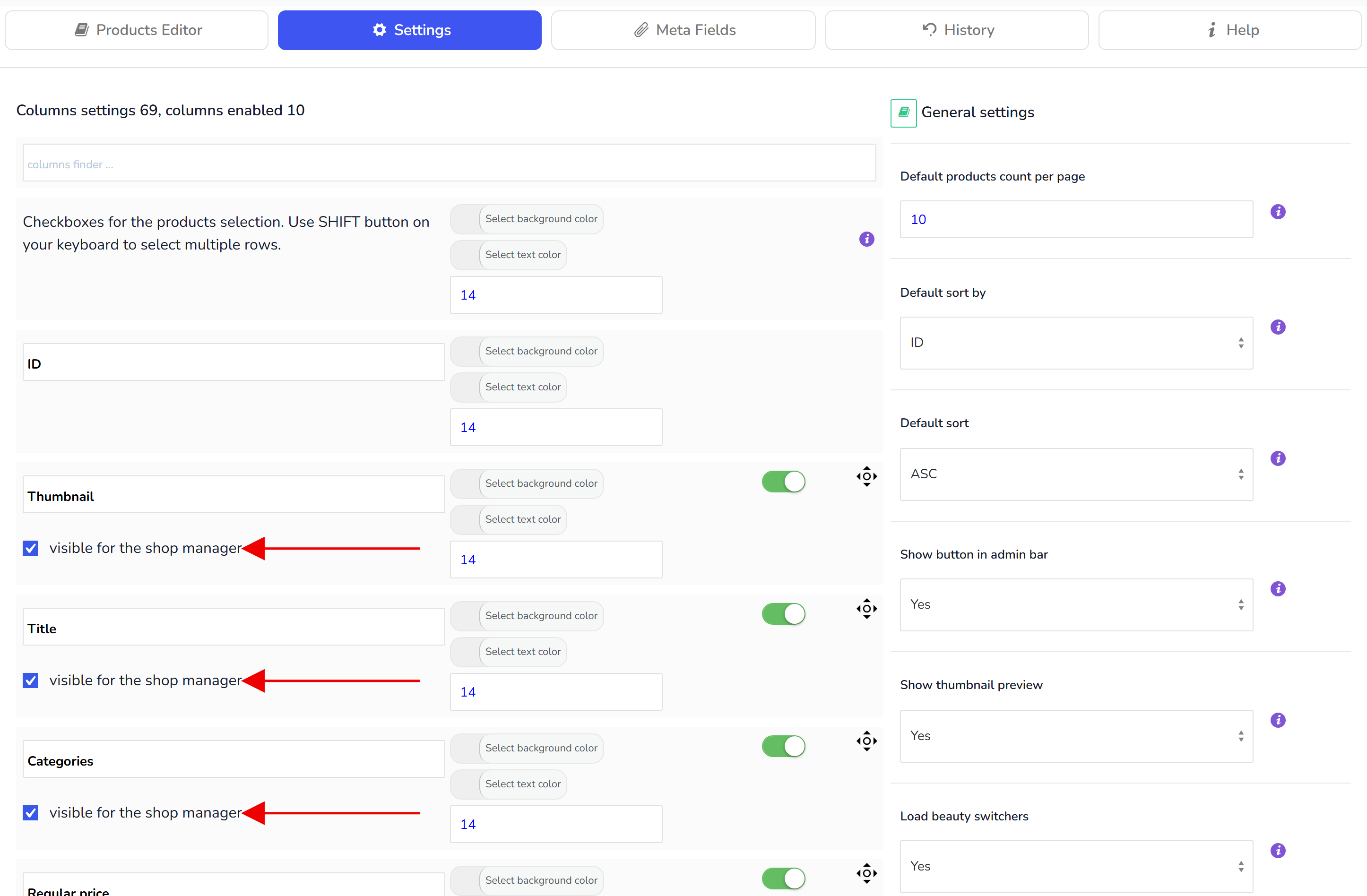
Yes, you can, in tab Settings click columns you need using checkbox 'visible for shop manager'. The checkbox sits under every column in the Settings tab and is shown to administrators only:
Log in as an administrator and open the BEAR Settings tab.
Tick visible for the shop manager under Regular price, Sale price and Stock quantity. Untick it under every other column, including Title and Description.
Press Save all settings.
A shop manager now sees only those columns in the Products Editor, only those rows in the Bulk Edit tab and only those fields in Filters; columns without the checkbox are not drawn for that role at all. The setting is by role, not by user, so it applies to every shop manager account.
For finer rules, for example letting a manager change the price but not the stock of one product type, the woobe_user_can_edit filter in More settings (implicit) decides per field and per user in code.
🌸
Documentation for BEAR - WooCommerce Bulk Editor and Products Manager Professional: tabs, tools and developer guides
Documentation — BEAR Bulk Editor
We use cookies to ensure that we give you the best experience on our website. If you continue to use this site we will assume that you are happy with it.