Settings of the WooCommerce bulk editor
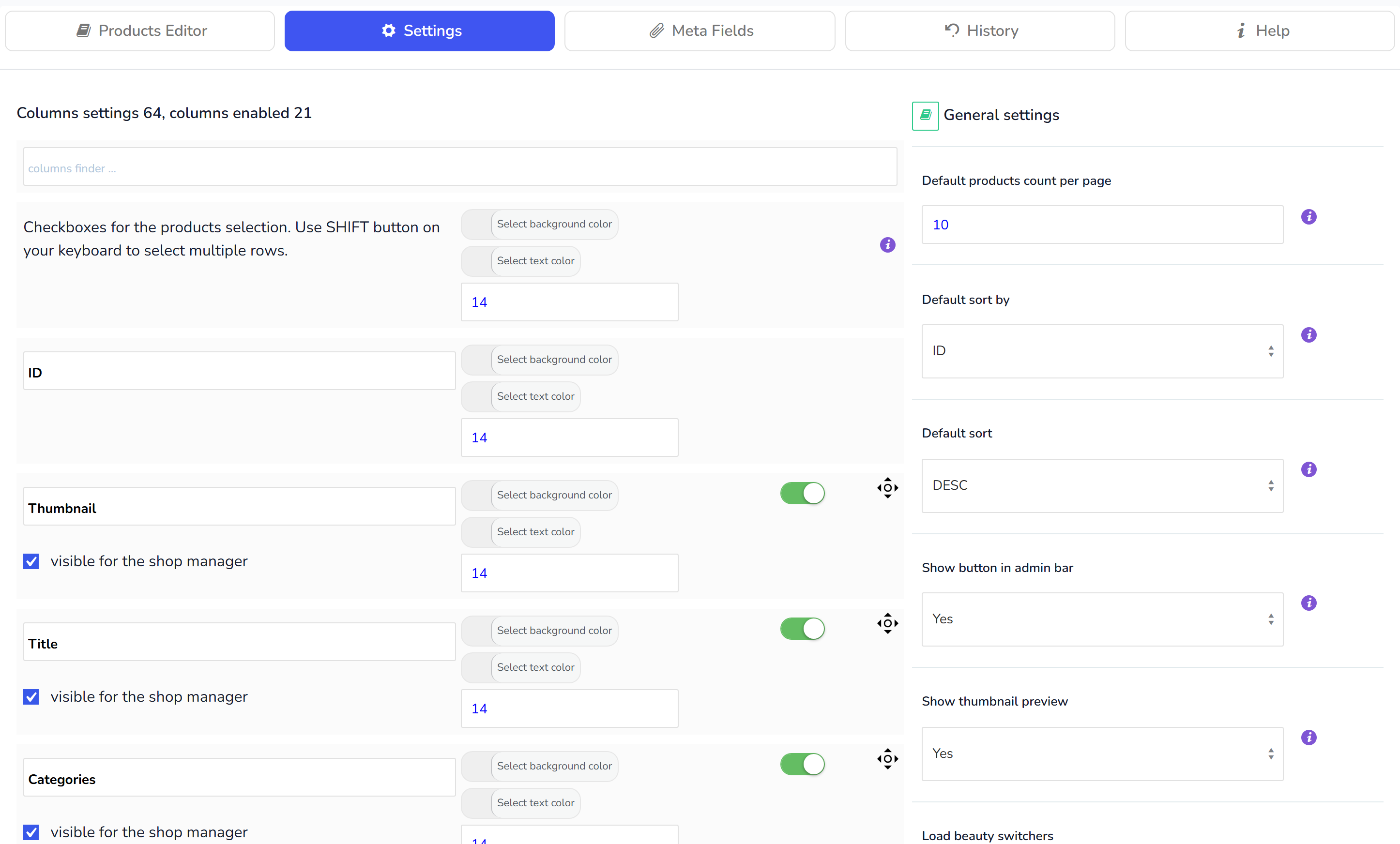
In this tab you can set bulk editor settings:
- Activate columns and set their order
- Set personal settings for the current user - different users can work with the products data using WOOBE on the same time and not interfering with each other
Settings tab page divided into 2 columns: columns settings and total settings.
In column settings possible:
- columns activation/deactivation
- changing columns titles
- select columns background color
- select columns text color
- set columns order using drag-and-drop method
- set columns visibility for shop managers. Yes! You can set what fields your shop managers can edit :)
In Total settings possible:
- Default products per page - How many rows of products show per one page in tab "Products Editor" after editor page loaded. Max possible value is 100!
- Default sort by - Select column by which products sorting is going after page loaded
- Default sort - Select sort direction for "Default sort by" column above
- Show button in admin bar - Show "Bulk Editor" button in admin bar for quick access to the products editor.
- Show thumbnail preview - Show bigger thumbnail preview on mouse over
- Load beauty switchers - Load beauty switchers instead of checkboxes in the "Products Editor" table. ATTENTION: with a lot of products per page (100) - table redrawing will take some more time!
- Autocomplete max count - How many products display in the autocomplete drop-downs. Uses in products up-sells, products cross-sells and grouped products popups.
- Recommended minimum RAM: 256 MB
- Minimal PHP version is: PHP 5.4
- Recommended PHP: 7.xx