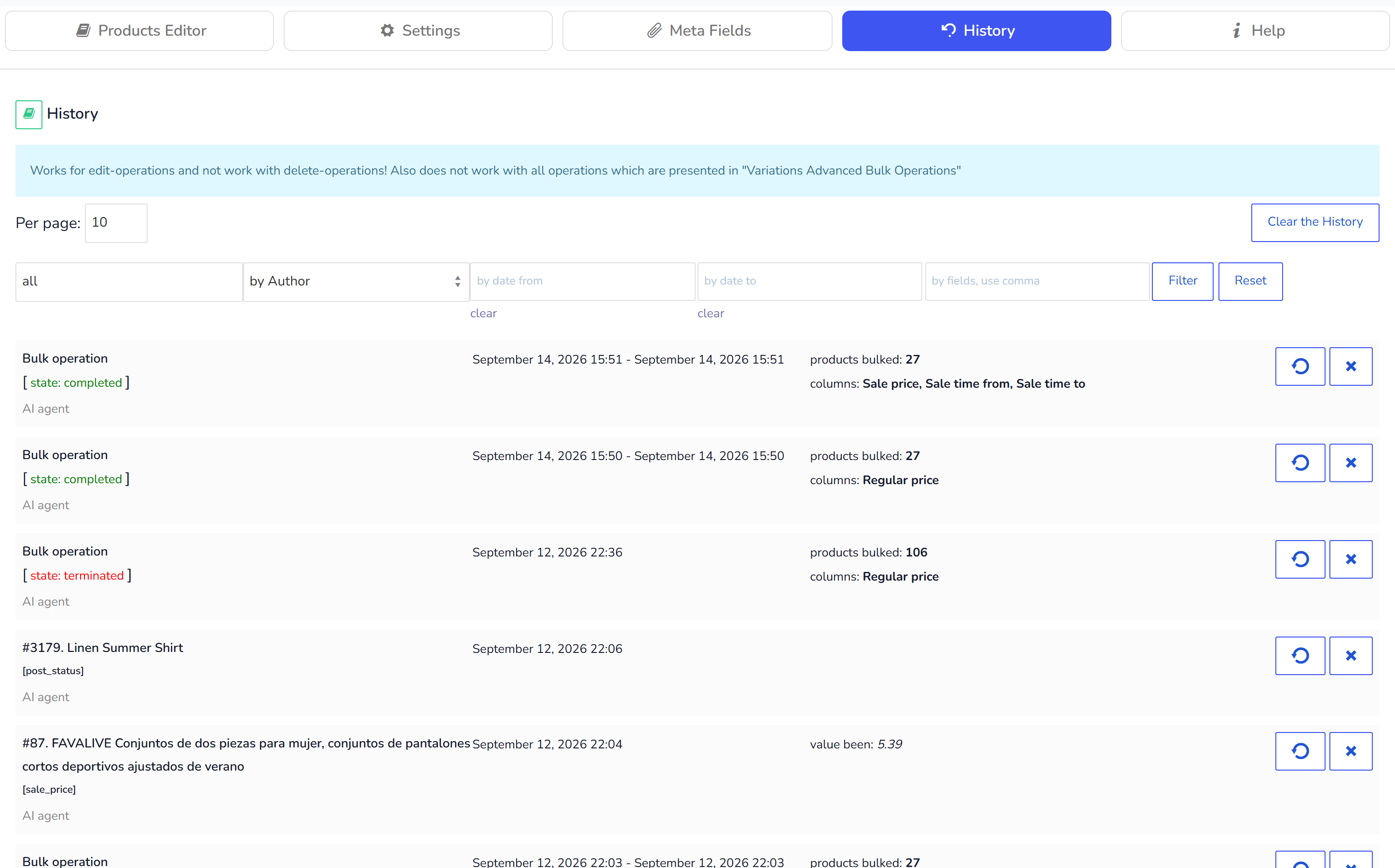
History and undo for bulk edits of WooCommerce products
- Clear the History - remove the history for the current logged-in user. Do it before starting of your work day to avoid big heap of history data where you can get lost.
- Revert - button which displays on each history operation. Clicking this button revert data to the product field ID and title of which you can see on the left side
- Delete - remove a history item forever
Different logged-in users has their own history to avoid data messing. So admin and his shop managers can work together without misunderstanding. Of course if they not edit the same product field for the same products! All bulk operations marked as 'Bulk operation' describes time of the operation (from - to), count of edited products, operation status (completed or terminated) and columns/fields names which been edited in the products. On the left top of the tab you can see drop-down, which is simple filter for operations by type: solo or bulk.