BEAR - WooCommerce Bulk Editor and Products Manager Professional
How to work with the products which has sale price?
I need to see and work with the products which has sale price.
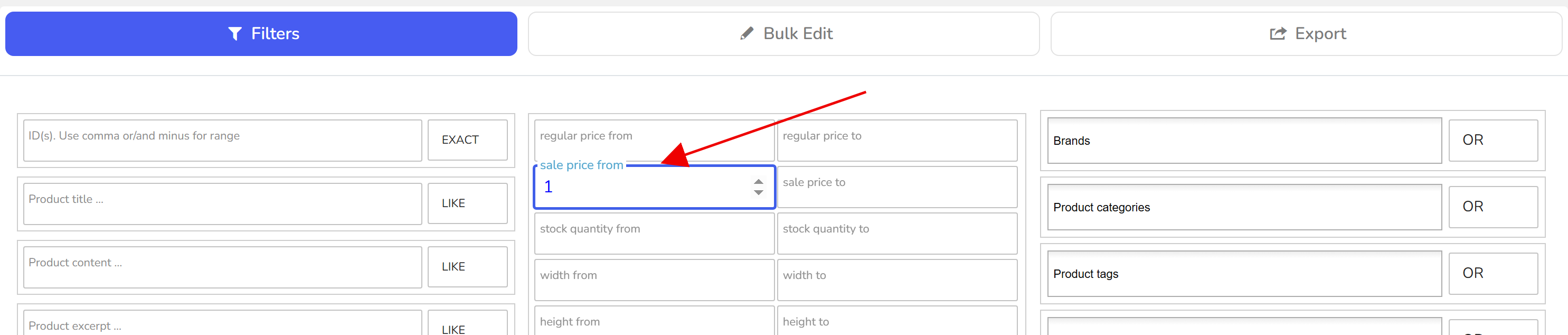
Using Filters find all products where sale price greater than 1: in the Filters tab enter 1 in the from box of the Sale price range, leave to empty, press Filter. The Products Editor now shows only the products on sale, across all pages, and everything you do next applies to that set.
Edit one product: click its sale price cell, type, press Enter.
Edit a page of them: tick the products, switch on binded editing, change one cell and the value is written to all ticked products.
Edit all filtered products: open the Bulk Edit tab and tick the sale price row. Its behaviours are set new, increase or decrease by value or %, and the two that read the regular price: regular price minus % and regular price minus value.
Export the list: the Export tab writes the filtered products with their regular and sale prices to CSV or XML.
Switch on variations on the tools panel first if the sale prices live on variations rather than on parent products. Any bulk run can be reverted in History.
🌸
Documentation for BEAR - WooCommerce Bulk Editor and Products Manager Professional: tabs, tools and developer guides
Documentation — BEAR Bulk Editor
We use cookies to ensure that we give you the best experience on our website. If you continue to use this site we will assume that you are happy with it.